Best Prediction Market Arbitrage Tools (2026) — Ranked & Compared
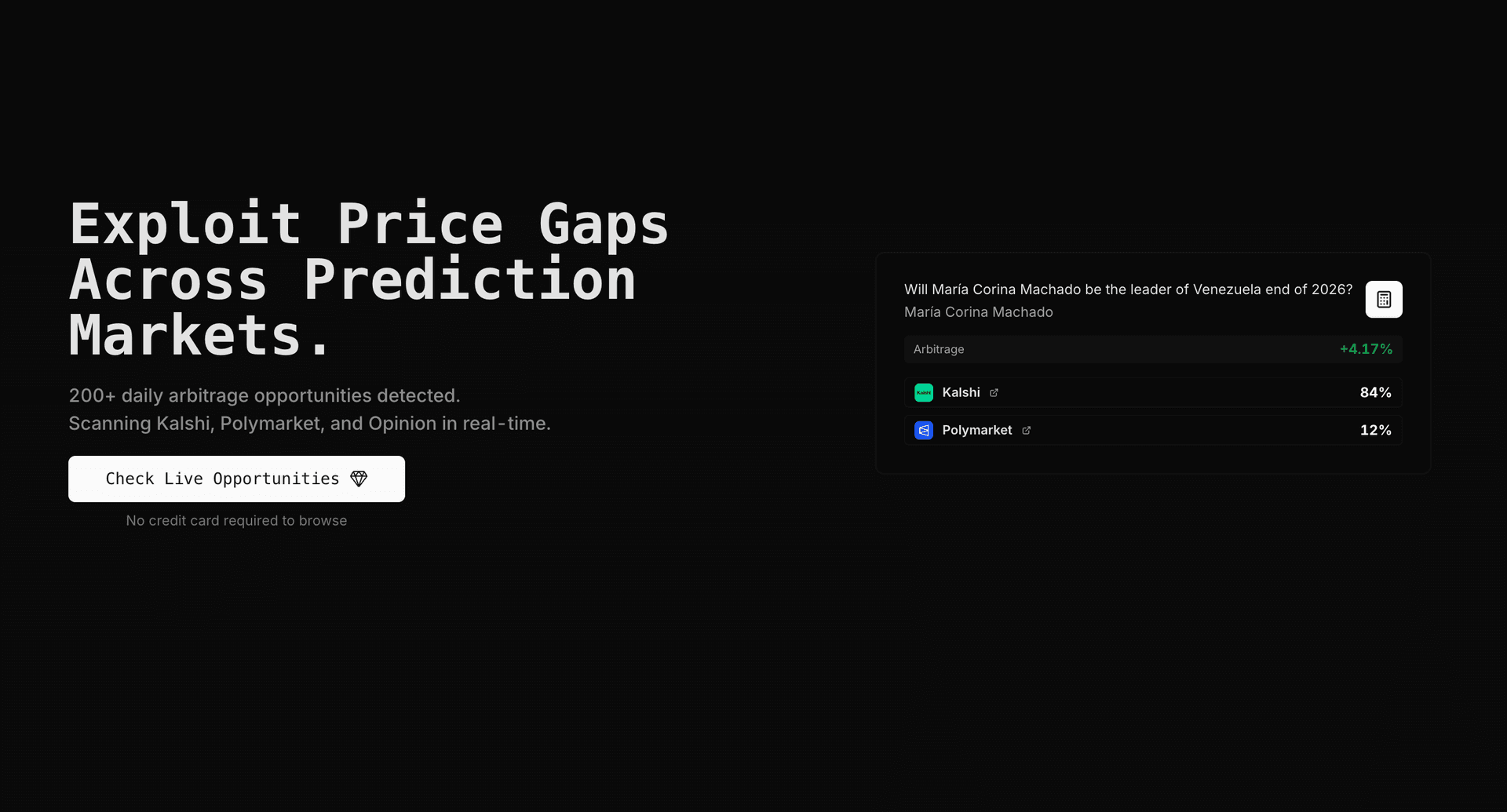
Find prediction market arbitrage opportunities in real-time with ArbBets. We scan Polymarket, Kalshi, and Opinion orderbooks and surface 100+ fee-adjusted opportunities daily.
TL;DR
The best prediction market arbitrage tools scan Polymarket, Kalshi, and Opinion simultaneously, match identical events across platforms, and calculate net profit after fees. ArbBets leads for cross-platform scanning and API access (990+ markets, 100+ daily opportunities, 1–8% typical ROI). Predictions Terminal is the strongest all-in-one terminal. Arbitrage Agent and Claw Arbs focus on automated execution. Open-source tools like EdgeHunt and ArbIt are useful for learning but require engineering time. Manual scanning misses most opportunities because spreads often close within minutes.
Last updated: August 4, 2026
What is the best prediction market for arbitrage betting?
The best prediction market for arbitrage betting is not a single venue — it is the pair (or trio) where the same event trades at different prices. In 2026, Polymarket + Kalshi is the highest-volume corridor; adding Opinion as a third leg often surfaces spreads when the primary pair is efficient.
- Polymarket — deepest global liquidity, no trading fees, crypto settlement
- Kalshi — CFTC-regulated, US-legal, variable taker fees that must be netted out
- Opinion — newer venue, frequent mispricings vs Polymarket on select events
Use a dedicated arbitrage bet finder rather than picking one platform in isolation.
Best tools for prediction market arbitrage 2026
The best tools for prediction market arbitrage in 2026 combine multi-platform coverage, semantic market matching, fee-adjusted ROI, and real-time feeds. Rankings below reflect hands-on evaluation in August 2026.
- ArbBets — only major scanner monitoring all three platforms with REST API (arbitrage betting API)
- Predictions Terminal — best if you want research + arb in one dashboard
- Arbitrage Agent / Claw Arbs — best for automated two-leg execution via API keys
- EdgeHunt / ArbIt — best free open-source stacks for learning the math
Size trades with the Kalshi arbitrage calculator after a scanner surfaces a spread.
What We Evaluated
We ranked tools on five criteria that matter for real cross-platform arbitrage — not just headline prices:
- Multi-platform coverage — Does it scan Polymarket, Kalshi, and Opinion (or at least two) at once?
- Market matching — Can it link the same real-world event across different contract titles?
- Fee-adjusted math — Does it account for Kalshi taker fees, slippage, and orderbook depth?
- Speed — Real-time or WebSocket feeds vs. delayed polling?
- API / automation — Can developers build bots, alerts, or agents on top?
Note: Most legacy odds-comparison scanners were built for traditional sportsbooks. They generally do not monitor Polymarket, Kalshi, or Opinion. If you already use real-time scanners for price inefficiencies, prediction markets are the same math on peer-to-peer exchanges — with transparent fees and no winner limits.
Best Prediction Market Arbitrage Tools Compared (2026)
| Tool | Best for | Platforms | Execution | API | Price (monthly) | Fee-adjusted ROI |
|---|---|---|---|---|---|---|
| ArbBets | Cross-platform arb scanning | Polymarket, Kalshi, Opinion | Manual (alerts + links) | Yes (Premium) | $149 Pro / $299 API | Yes |
| Predictions Terminal | Full trading terminal | Polymarket, Kalshi (+ sportsbook data) | Manual | Limited | Free / ~$49 Pro | Yes |
| Arbitrage Agent | Automated two-leg execution | Polymarket, Kalshi | Automated | Yes | Paid tiers | Yes |
| Claw Arbs | Multi-venue auto-execution | Kalshi, Polymarket + others | Automated | Yes | Varies | Yes |
| EdgeHunt (open source) | CLI analytics & learning | Kalshi, Polymarket (adapters) | Manual | N/A | Free | Yes |
| ArbIt (open source) | Research & simulation | Polymarket, Kalshi, Manifold | Simulated | N/A | Free | Yes |
| DIY (platform APIs) | Custom workflows | Whatever you integrate | DIY | Raw platform APIs | Free (dev time) | Depends on you |
| Manual tab comparison | Learning mechanics | Any you open | Manual | No | Free | Rarely |
According to ArbBets scan data (July 2026), the platform monitors 990+ matched markets across Polymarket, Kalshi, and Opinion and surfaces 100+ arbitrage opportunities per day. Most opportunities yield 1–8% ROI after Kalshi fees. Average opportunity window is 2–6 hours in normal conditions; during high-volatility events, spreads can close in minutes. For the full historical series, see the Prediction Market Arbitrage Report 2026 (six Kalshi–Polymarket snapshots, Dec 2025–Aug 2026).
— Source: ArbBets real-time market data
Tool Breakdown
1. ArbBets — Best Overall for Cross-Platform Arbitrage
ArbBets is purpose-built for prediction market arbitrage. It continuously scans orderbooks on Polymarket, Kalshi, and Opinion, matches equivalent contracts, and shows fee-adjusted spread, max profitable size, and per-platform cost breakdown. The public Kalshi Polymarket arbitrage finder shows the same live cross-market data without a subscription.
Key features:
- 990+ markets monitored across politics, crypto, economics, sports events, and entertainment
- Orderbook-aware fills — walks full ask depth, not just top-of-book
- Kalshi fee model built in — 7% taker fee calculated on actual fill price
- 100+ daily opportunities — most yield 1–8% net ROI
- REST API (Premium) — normalized pairs, orderbooks, and pre-computed arbs for trading agents (API overview · docs)
- Category filters — Sports, Politics, Crypto, Finance, Tech, Economy
Best for: Traders who want the deepest Polymarket + Kalshi + Opinion coverage without building matching logic themselves. Developers building prediction market bots who need a data layer.
Pros:
- Only major scanner with simultaneous three-platform coverage
- Fee-adjusted profit and investment calculator
- Endorsed by prediction market traders; Kalshi CEO Tarek Mansour has publicly supported the category
Cons:
- Scan-and-alert model — you execute trades manually (or via your own bot using the API)
- Not a full terminal (no whale tracker, news scoring, or social features)
- Pro plan does not include API; Premium required for automation
Pricing: Pro $149/month (scanner). Premium $299/month (scanner + API, 5,000 credits/month).
2. Predictions Terminal — Best All-in-One Terminal
Predictions Terminal is a professional dashboard for Polymarket and Kalshi traders. Its arbitrage scanner is one of 20+ tools in a broader terminal — whale tracking, AI news scoring, leaderboards, and paper trading included.
Best for: Traders who want one screen for research, sentiment, and arbitrage — not just a dedicated arb feed.
Pros:
- Strong UX and broad feature set beyond arbitrage
- Arbitrage module calculates profit after fees and slippage
- Lower entry price (~$49/month Pro) than full-stack scanners
Cons:
- Arbitrage is one feature among many — less depth than arb-first tools on matching and sizing
- API/automation story is lighter than ArbBets Premium
- Includes sportsbook data — may distract if you only trade prediction markets
Pricing: Free tier available; Pro approximately $49/month (verify on site).
3. Arbitrage Agent — Best for Automated Execution
Arbitrage Agent is an execution-focused system for Polymarket and Kalshi. It pairs markets with embedding-based matching, streams prices over WebSocket, and fires both legs in parallel with a circuit breaker if one side fails.
Best for: Traders with capital on both platforms who want hands-off two-leg execution, not just alerts.
Pros:
- True automated execution with unwind logic
- High-precision market matching (thousands of linked titles)
- Kelly sizing and live-editable risk parameters
Cons:
- Requires API keys and comfort with automated capital deployment
- Narrower scope than a full scanner terminal
- Higher operational complexity than manual tools
Pricing: Paid subscription tiers (verify current plans on site).
4. Claw Arbs — Best for Multi-Venue Automated Execution
Claw Arbs detects and executes arbitrage across prediction markets and other venues via WebSocket feeds and platform APIs. It targets sub-second detection and API-based order placement on Kalshi and Polymarket.
Best for: Technical traders who want detection and execution in one system across multiple venue types.
Pros:
- Automated execution on API-enabled platforms
- WebSocket feeds for Kalshi and Polymarket
- Built for low-latency workflows
Cons:
- Broader venue scope means less prediction-market-specific depth than ArbBets
- Steeper setup than a pure scanner
- Pricing and venue list change frequently — verify before subscribing
Pricing: Varies by plan (verify on site).
5. EdgeHunt — Best Free Open-Source Analytics
EdgeHunt is an open-source CLI for cross-venue arbitrage detection, fee-adjusted EV, Kelly sizing, and fair-value mispricing signals on Kalshi and Polymarket-style markets.
Best for: Developers learning arbitrage math who want transparent, local, fee-aware calculations before paying for a hosted scanner.
Pros:
- Free and auditable source code
- Real Kalshi and Polymarket fee models in the engine
- Good for understanding Kelly and break-even math
Cons:
- Live adapters are still maturing — not a turnkey production scanner
- No hosted alerts, matching at scale, or mobile access
- You maintain infrastructure yourself
Pricing: Free (open source).
6. ArbIt — Best for Research and Simulation
ArbIt is an open-source quantitative pipeline for detecting and simulating risk-free arbitrage across Polymarket, Kalshi, Manifold, and other platforms. Strong on backtesting and basket construction logic.
Best for: Quants validating arbitrage strategies on historical data before going live.
Pros:
- Full pipeline: ingest → match → validate → simulate PnL
- Multi-platform normalized schema
- No subscription cost
Cons:
- Research/simulation focus — not a daily trading dashboard
- Significant engineering required to run in production
- Live execution is DIY
Pricing: Free (open source).
7. DIY Spreadsheet + Platform APIs — Best for Custom Builders
Roll your own tracker using Kalshi's API, Polymarket's CLOB API, and Opinion's endpoints.
Best for: Engineers who need bespoke alerts, internal dashboards, or proprietary matching rules.
Pros:
- Full control over logic and integrations
- No monthly software fee (only your time)
Cons:
- Market matching across platforms is the hard part — titles rarely align
- APIs change; maintenance is ongoing
- You will not match the scan breadth of 990+ markets without serious investment
Pricing: Free tools; high time cost.
8. Manual Tab Comparison — Best for Learning
Open Polymarket, Kalshi, and Opinion side by side. Search for the same event. Calculate whether YES on one platform plus NO on another costs less than $1.00.
Best for: Your first week understanding how prediction market arbitrage works.
Pros: Free. Builds intuition for fees, settlement, and execution.
Cons: Does not scale. Misses 95%+ of opportunities. Error-prone on fee math.
How to Choose the Right Tool
| If you are… | Best choice |
|---|---|
| New to prediction market arbitrage | Manual comparison for 1 week, then ArbBets Pro |
| Active cross-platform trader (daily) | ArbBets Pro |
| Building a trading bot or agent | ArbBets Premium API or Arbitrage Agent |
| Want one terminal for research + arb | Predictions Terminal |
| Quant validating strategies offline | EdgeHunt or ArbIt |
| Need fully automated two-leg execution | Arbitrage Agent or Claw Arbs |
| Just exploring concepts | Prediction markets arbitrage guide |
What Makes a Good Arbitrage Scanner?
Multi-platform coverage
Arbitrage requires price differences between exchanges. A tool that only watches Polymarket cannot find cross-platform spreads. Minimum viable coverage is two platforms; three (Polymarket + Kalshi + Opinion) dramatically expands the opportunity set. See our three-way platform comparison.
Accurate market matching
The same event is phrased differently on each platform:
- Kalshi: "Fed cuts 25bps in May"
- Polymarket: "Will the Fed cut rates at the May FOMC?"
Text matching fails. Production tools use semantic matching, embeddings, or human-curated pair lists. A false match is worse than a missed opportunity.
Fee-adjusted calculations
Kalshi charges a taker fee based on contract price. Polymarket has no trading fee but may have spread costs. A 3% gross spread can become 0% or negative after fees. Tools must show net ROI. Learn the math in how to calculate arbitrage.
Speed
Typical opportunity timeline:
| Time | What happens |
|---|---|
| 0:00 | Price discrepancy appears |
| 0:30–2:00 | Alerted traders begin executing |
| 2:00–6:00 | Prices converge; opportunity closes |
Polling every 5 minutes is not enough for competitive arbitrage. Real-time or WebSocket feeds are essential.
Pricing: What Does It Cost to Break Even?
| Tool | Monthly cost | Break-even example |
|---|---|---|
| ArbBets Pro | $149 | One 5% arb on $3,000 capital ≈ $150 profit |
| ArbBets Premium | $299 | One 3% arb on $10,000 capital ≈ $300 profit |
| Predictions Terminal Pro | ~$49 | One small arb per month |
| Open source (EdgeHunt, ArbIt) | $0 | Your engineering hours |
| Manual | $0 | Your time (high) |
Most active traders capture 10–30+ opportunities per month. A single well-sized cross-platform arb often covers a month of subscription cost.
Getting Started
Step 1: Fund accounts on each platform
Before any tool helps, you need capital ready on:
- Polymarket — USDC wallet on Polygon
- Kalshi — USD via bank or debit (US residents)
- Opinion — USD or crypto depending on account setup
Compare platforms in our best prediction market platforms guide.
Step 2: Pick a tool matching your skill level
- Beginner: Manual comparison → ArbBets Pro
- Developer: ArbBets Premium API or open-source stack
- Automation-first: Arbitrage Agent or Claw Arbs
Step 3: Start with small position sizes
Use $50–$100 per leg until you are comfortable with execution speed, fee math, and settlement timing. Scale once your process is consistent.
Step 4: Track results
Log gross spread, fees, fill price, and net PnL per trade. Review weekly to see which market categories (politics, crypto, sports events) produce the most opportunities.
Frequently Asked Questions
What is the best prediction market arbitrage tool in 2026?
For cross-platform scanning across Polymarket, Kalshi, and Opinion with fee-adjusted ROI and orderbook depth, ArbBets is the most comprehensive dedicated scanner. Predictions Terminal is the best choice if you want a full trading terminal with arbitrage as one feature among many. For automated execution, Arbitrage Agent and Claw Arbs are the leading options.
Can you arbitrage Polymarket and Kalshi?
Yes. The same real-world event is often listed on both platforms at different prices. When the combined cost of buying YES on one platform and NO on the other is less than $1.00 (after fees), one side is guaranteed to pay $1.00 at settlement — the difference is risk-free profit. ArbBets monitors this pair continuously and surfaces 100+ opportunities per day on average.
Do prediction market arbitrage tools execute trades automatically?
Most scanners — including ArbBets and Predictions Terminal — find opportunities and let you execute manually or via your own bot. Fully automated execution platforms like Arbitrage Agent and Claw Arbs place both legs via API. Automated execution adds speed but also operational risk if one leg fails to fill.
How much capital do you need to start prediction market arbitrage?
You can learn with $500–$1,000 split across platforms. Meaningful returns typically require $2,000–$10,000+ in deployable capital across Polymarket (USDC) and Kalshi (USD), since individual spreads are often 1–8% on the capital deployed per opportunity.
Are prediction market arbitrage tools worth the subscription cost?
If you capture even one 3–5% opportunity on $3,000–$5,000 of capital per month, a $149/month scanner pays for itself. The bigger cost is usually missed opportunities from manual scanning, not the subscription. Open-source tools are free but require significant engineering time to match production scanners.
Which platforms should an arbitrage scanner cover?
At minimum: two of Polymarket, Kalshi, and Opinion. Covering all three maximizes opportunity count because the best spread may be Kalshi vs Opinion even when Polymarket vs Kalshi shows nothing. ArbBets is currently the only major scanner monitoring all three simultaneously.
How is prediction market arbitrage different from sportsbook arbitrage?
Prediction markets are peer-to-peer exchanges with binary $0/$1 contracts and transparent fees. Traditional sportsbooks embed margin in prices and may limit winning accounts. The arbitrage math is identical (buy both sides for less than guaranteed payout), but prediction markets offer cross-platform spreads on politics, crypto, and economics — not just sports — and generally do not restrict profitable traders.
Related Reading
- Arbitrage bet finder (primary tool page)
- Prediction markets arbitrage guide — step-by-step walkthrough
- Prediction Market Arbitrage Report 2026 — original Kalshi vs Polymarket dataset
- How arbitrage bet finders work — educational tutorial
- Polymarket vs Kalshi vs Opinion — platform comparison for traders
- Arbitrage betting API — developer overview
- Kalshi arbitrage calculator
- Pricing
Start Finding Opportunities
The prediction market arbitrage space is expanding as Polymarket, Kalshi, and Opinion add markets and volume. Manual comparison worked when dozens of markets existed. With 990+ matchable contracts today, automated scanners are essential for capturing meaningful returns.
Ready to scan Polymarket, Kalshi, and Opinion for cross-platform arbitrage? Try ArbBets — 100+ fee-adjusted opportunities daily, with API access on Premium.